Auto-move
Auto-move introduction and guide on how to use it.
Auto-move guide
Auto-Move is available in Battlefield and Clan War. It allows your army to continue toward a selected destination without stopping after every battle along the route.
1. When Auto-Move Is Available
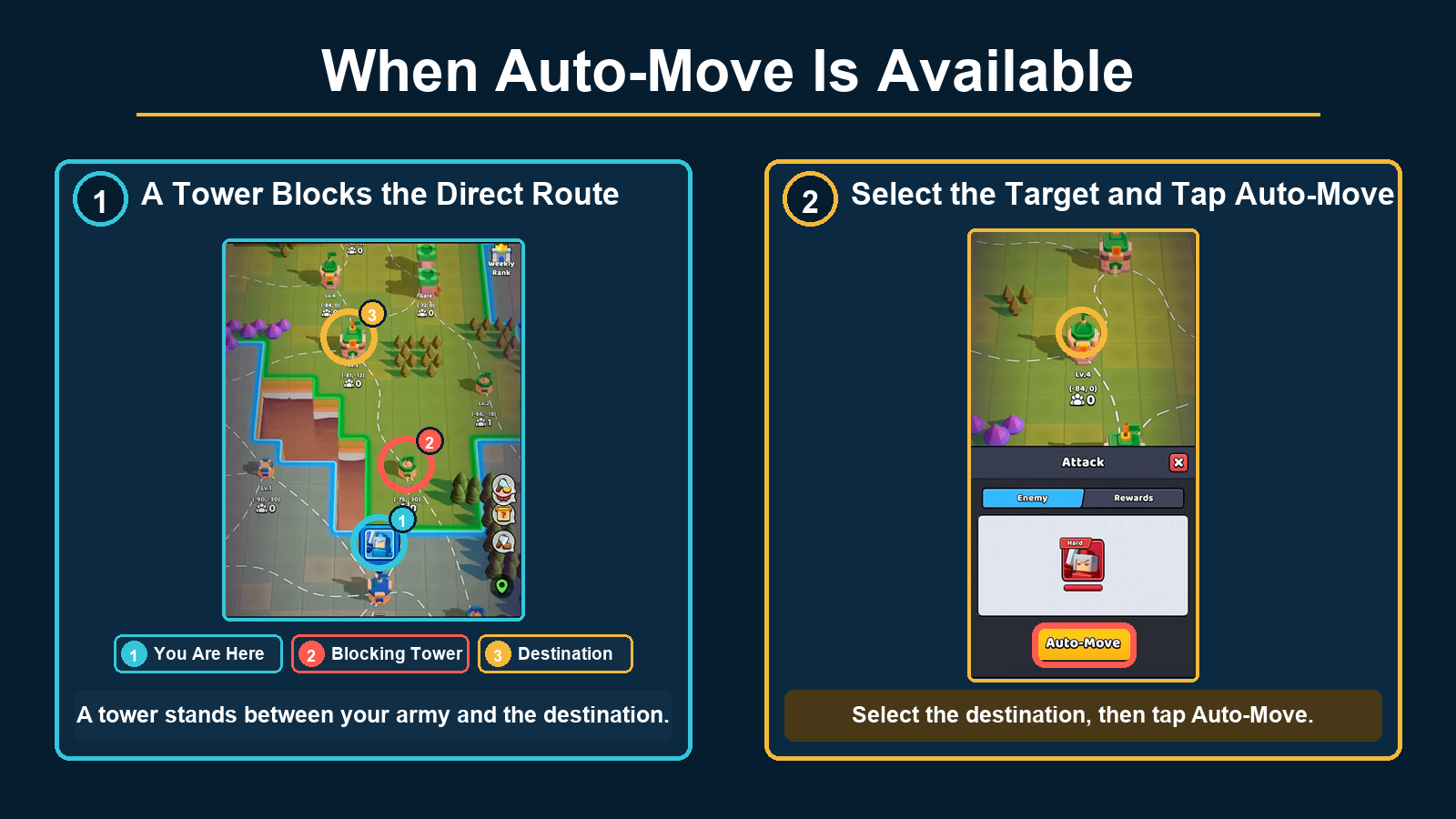
A normal attack requires a clear route through allied territory to the enemy target. Normal movement within allied territory also requires a clear route.
The Auto-Move button may appear in the following situations:
- No direct route
One or more enemy structures stand between your army and the selected destination. The destination may be either an allied or enemy structure.
Reference Image
2. Basic Auto-Move Rules
- Each stop along the Auto-Move route costs 3 Energy.
- Auto-Move is canceled if you lose a battle or do not have enough Energy or Morale to continue to the next destination.
- You can cancel Auto-Move manually by tapping the “X” beside the marching banner. Your army will continue to the next stop on its current march, and Auto-Move will end after it arrives.
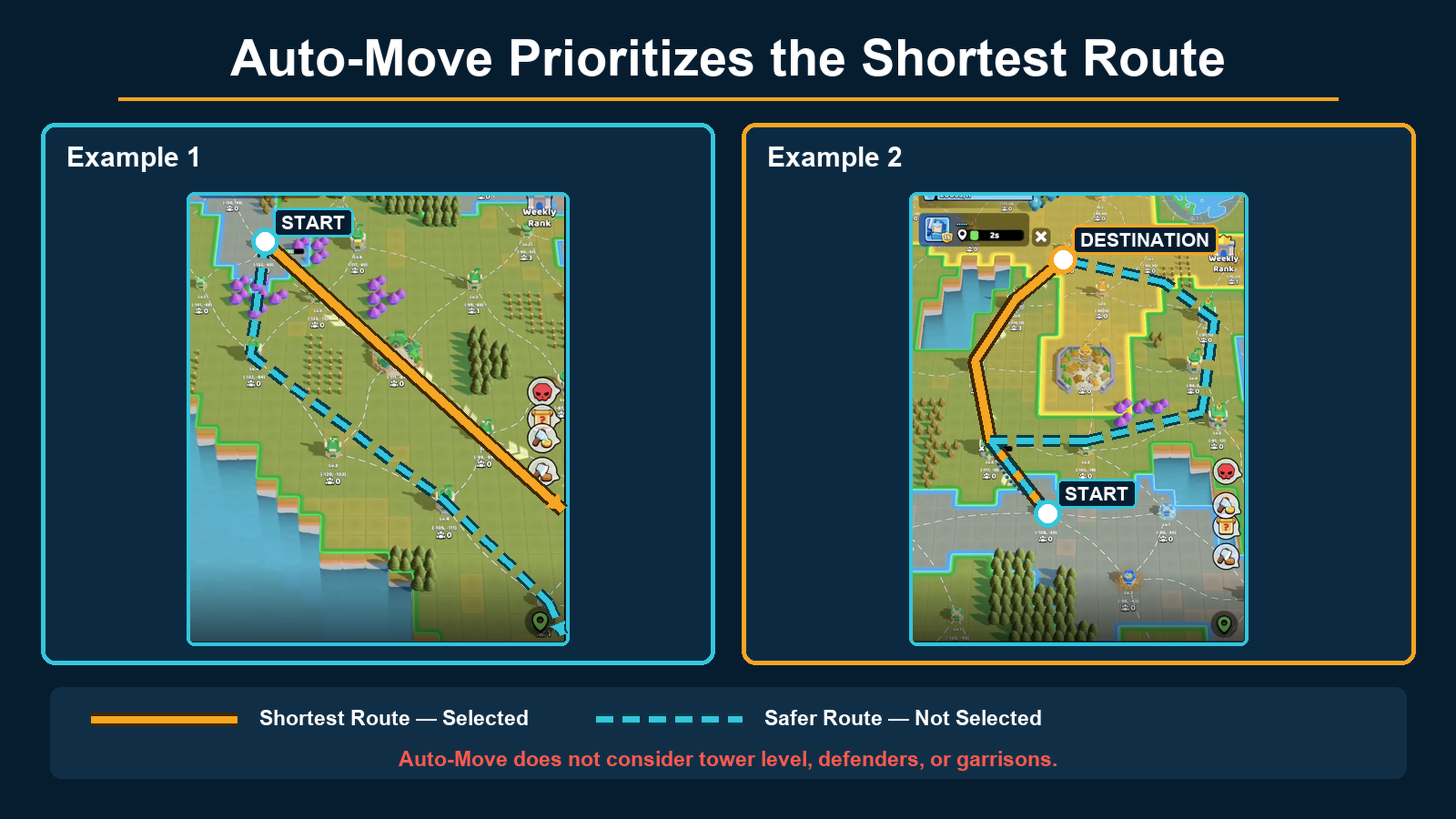
- Auto-Move currently selects a route with the shortest distance between starting point and the final destination without considering the status or difficulty of structures along the way.
- As a result, the shortest route may lead your army through more enemy structures, even when a safer route is available.
- If you activate Auto-Move or change its route while your army is already marching, the army will continue toward its current target first.
Route Selection
3. Auto-Move Tips
- Review the route before starting
Check the route before using Auto-Move. Look for enemy structures or high-level Towers that may consume significant Energy or Morale. - Divide longer routes into stages
Instead of selecting a distant destination immediately, choose a closer and safer structure first. You can then continue toward your final destination in several stages. - Use nearby targets to adjust your route
You can correct an Auto-Move route by selecting a new target while Auto-Move is active or while your army is marching.
Because Auto-Move always prioritizes the shortest route, selecting a distant target may produce a different route than expected. Use nearby structures as checkpoints and adjust the route gradually until it follows your preferred path.