The game crashes, freezes, or lags.
Official FAQ - SYSTEM & ACCOUNT
Home/Official FAQ/SYSTEM & ACCOUNT
SYSTEM & ACCOUNT
The game crashes, freezes, or lags.
Crashes, Freezing, and Lag
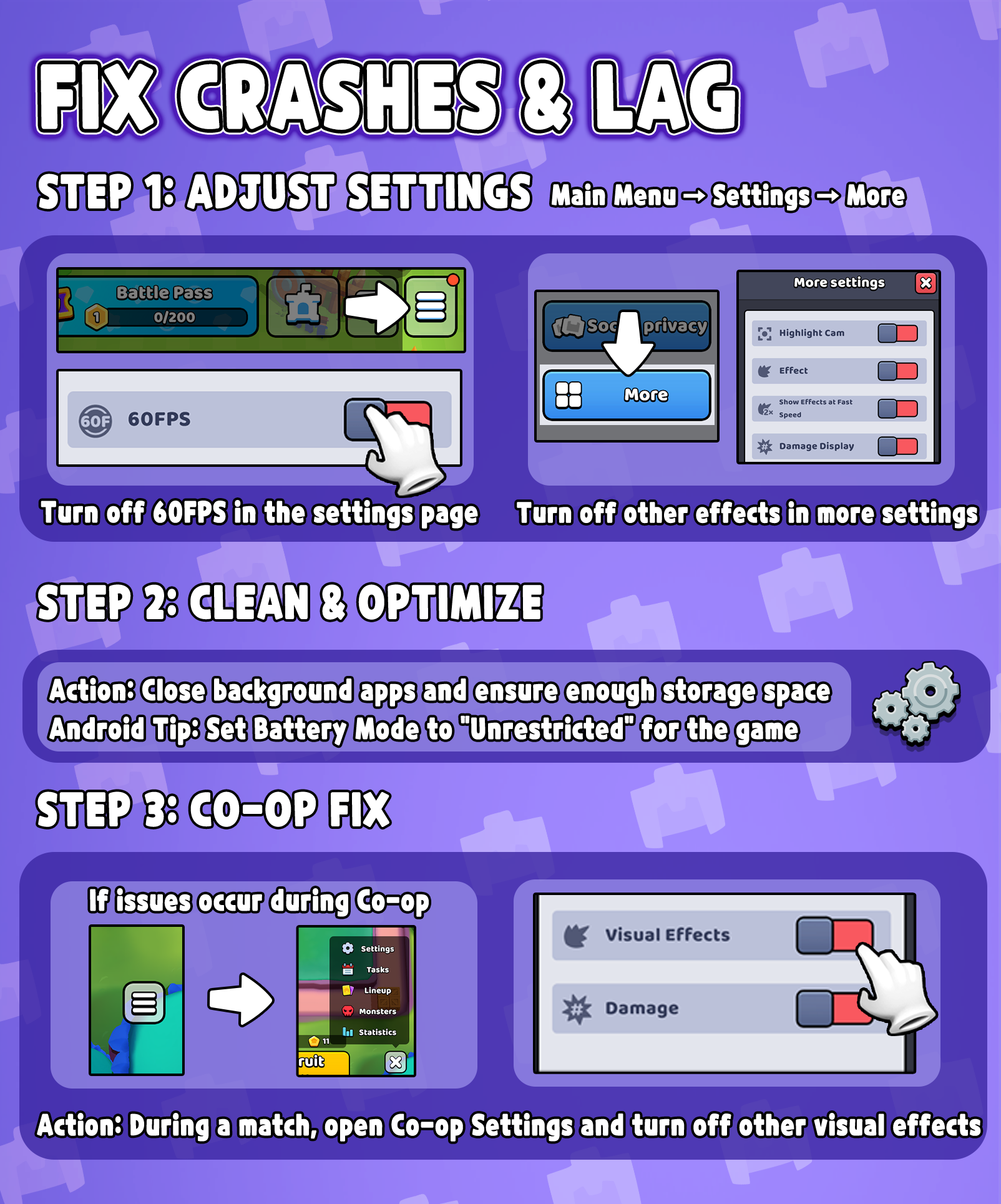
If you experience crashes, screen freezing, lag, or movement errors, please try the steps below:
1. Open Game Settings and set Graphics Quality to Low, turn Off Effects/FX, and Disable 60 FPS.
2. Close other running apps, restart your device, and make sure you have enough free storage.
3. On Android, set the battery mode for War Inc: Rising to No restrictions to prevent the system from limiting performance.
4. If the issue occurs in Co-op, open Co-op Settings during a match and turn off effects there as well.
Fix Crashes & Lag
If none of the above resolves the issue, please submit a report using this form:
https://forms.gle/rAJJy5Af9FW8njb77