I didn't receive my purchase.
Official FAQ - PAYMENTS
I Didn't Receive My Purchase
Contents
- 1. Battle Pass & Monthly Card Purchases
- 2. Check Purchase Status
- 3. Status: Pending
- 4. Status: Cancelled (Charged)
- 5. Further Assistance
◆ Overview
If your purchased items have not arrived, follow the troubleshooting steps below based on your order status in the game. Most delivery issues can be resolved automatically or will be refunded directly by your app store platform.
◆ 1. Battle Pass & Monthly Card Purchases
Before checking transaction statuses, please review the specific mechanics for Battle Pass and Monthly Card items:
🎟️ Battle Pass
- Battle Pass rewards are not delivered all at once immediately after purchase. You must complete Battle Pass quests to level up and claim the unlocked rewards progressively.
- The Battle Pass remains active only for the duration of the current Arena season. Always verify the remaining season time in the Arena menu before purchasing.
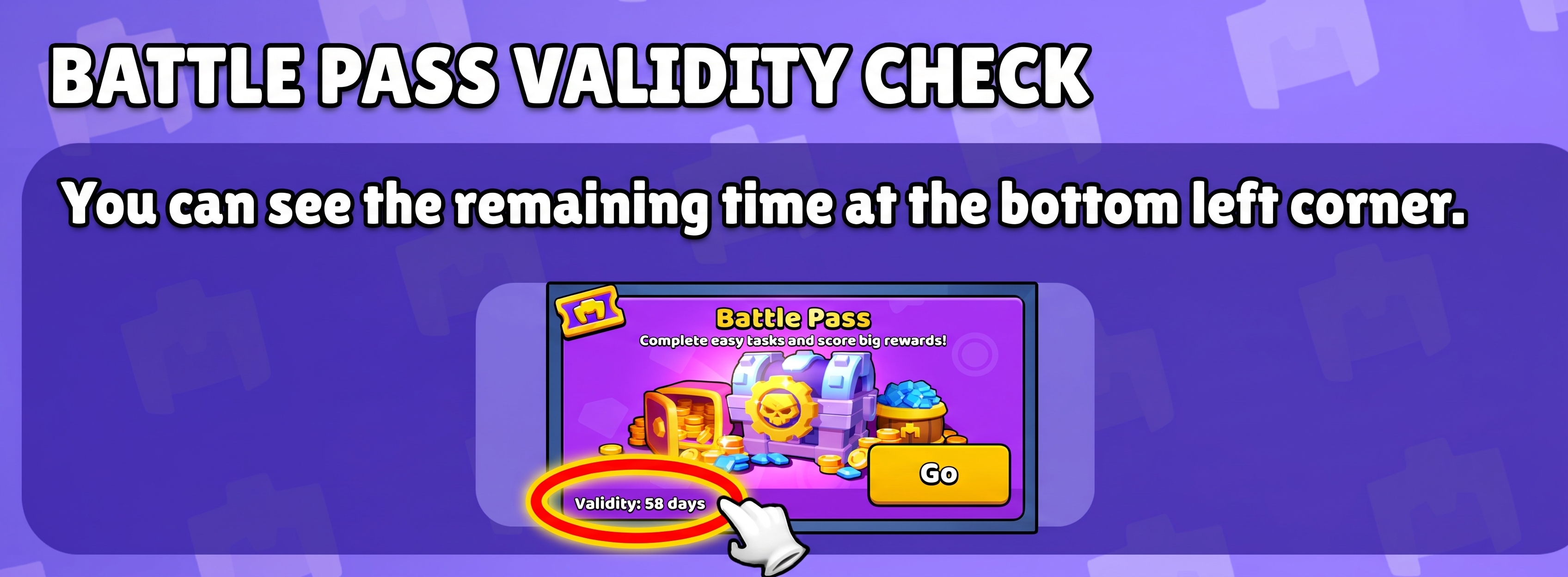
- The Battle Pass is stackable. If purchased multiple times, extra passes will automatically queue and activate for future seasons. You can check your remaining active passes and validity directly in the shop underneath the Battle Pass banner.
How To Check Validity
💎 Monthly Gem Card
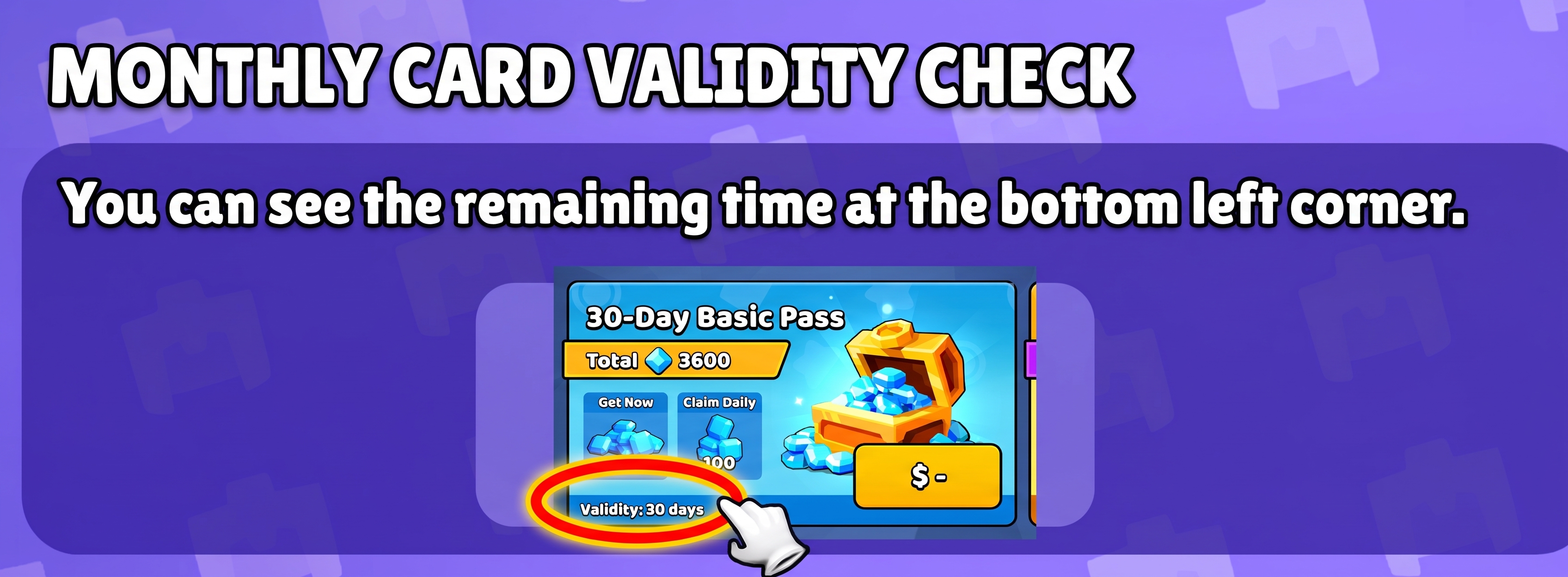
- The Monthly Gem Card is a stackable purchase. If purchased multiple times, the active duration will stack and extend across future periods.
- You can view your remaining active days and validity directly in the shop underneath the Monthly Card section.
How To Check Validity
◆ 2. Check Purchase Status
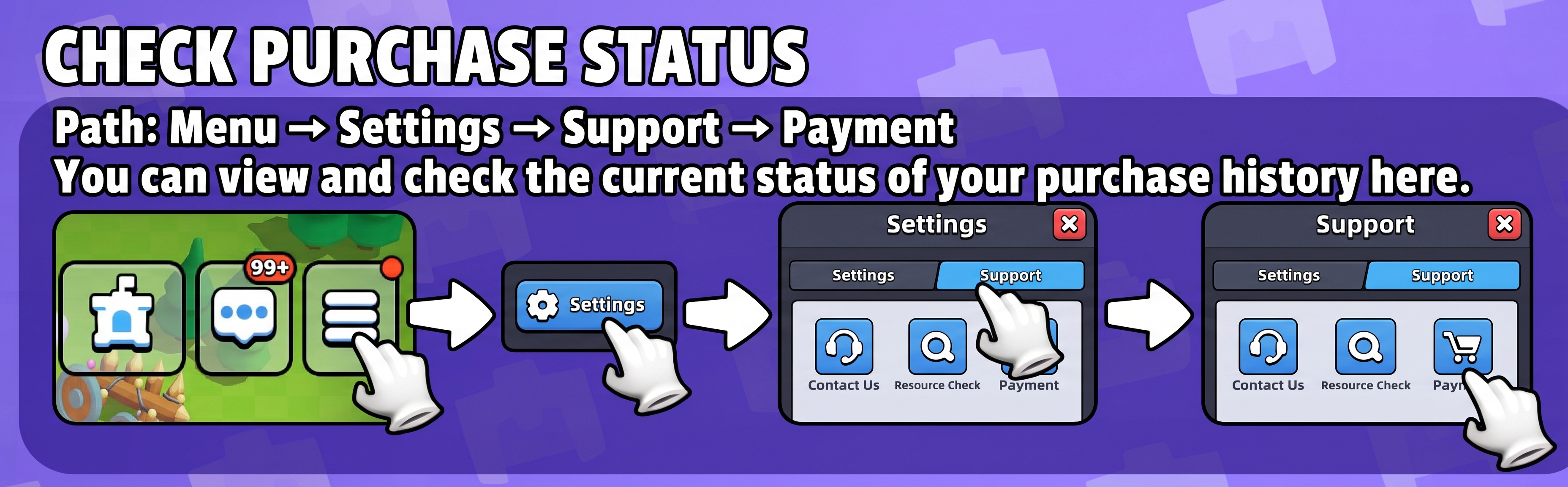
To verify the current status of your order:
- Open the game Settings.
- Select Support.
- Tap on Purchase to view your transaction history and order statuses.
How to Find Your Purchase
◆ 3. Status: Pending
If your transaction status is shown as Pending:
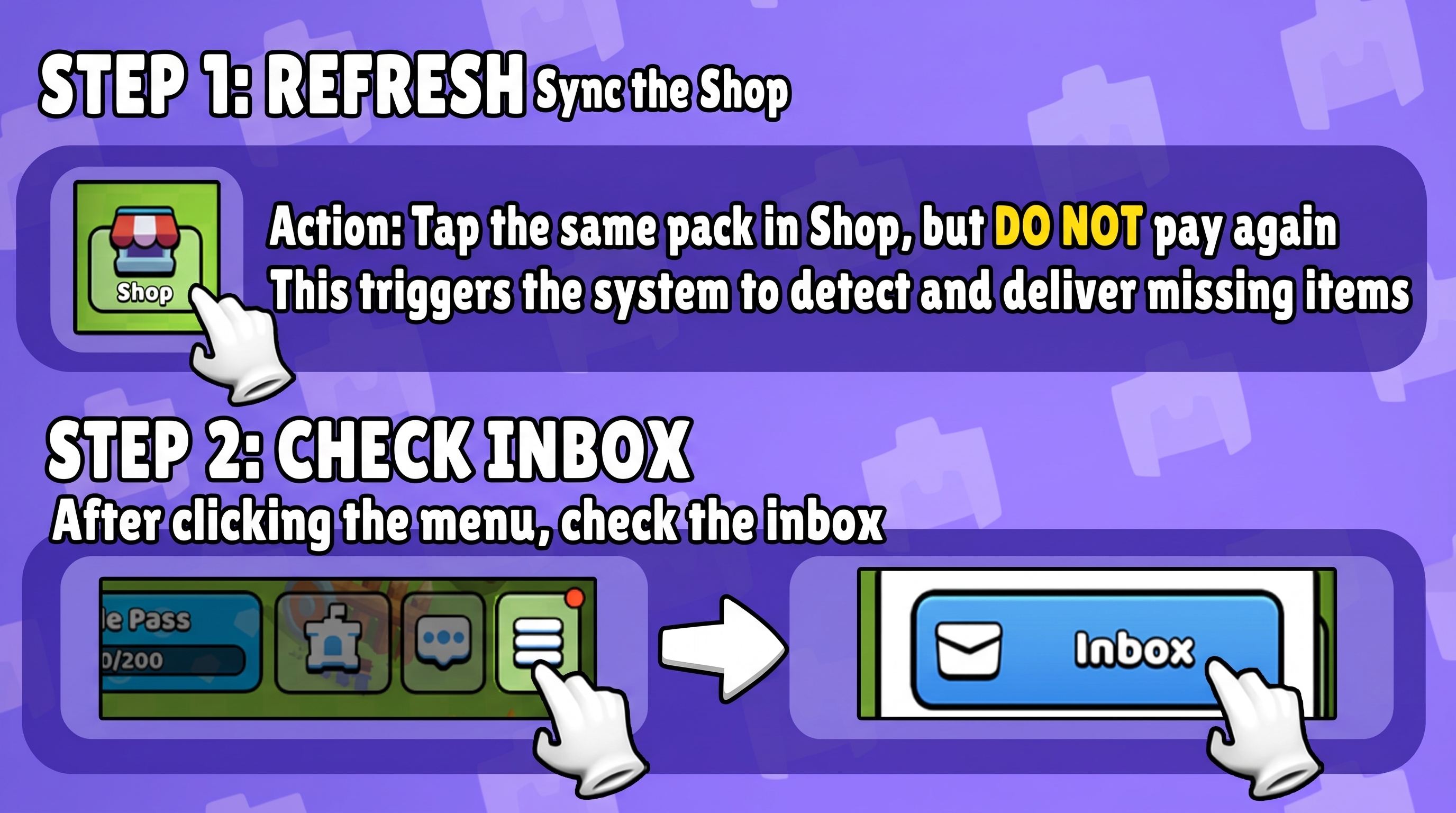
- Trigger Automated Delivery: Return to the shop and tap on the same pack again (do not confirm or complete the payment, simply tap to initiate). Afterwards, check your in-game Inbox, as this action often triggers automated delivery.
Trigger Automated Compensation
- Still Missing or Pack Unavailable?: If the purchase remains Pending and you still have not received the items—or if the pack is no longer available in the shop—please allow 2 to 3 days. Google Play or Apple will automatically cancel and refund the transaction.
◆ 4. Status: Cancelled
If the status shows Cancelled but your bank account or payment method was charged:
- The transaction was not finalized by the store. Google Play or Apple will automatically release the hold and refund the money back to your account.
- For detailed timing and platform refund policies, please contact Google Play Support, Apple Support, or your issuing bank directly.
◆ 5. Further Assistance
If the steps above do not resolve the issue, or if you are encountering a different problem:
- Go to in-game Settings > Support > Contact Us.
- Select the Assistant option.
- Choose Purchase from the categories.
- Follow the on-screen prompts and provide any requested details and transaction receipts.
You will likely need to provide your platform order number:
- Google Play: An order number starting with "GPA" (e.g.,
GPA.XXXX-XXXX-XXXX-XXXXX). Find your Google Play order number. - Apple App Store: An alphanumeric order number (e.g.,
ML7XOQQYGK). Find your Apple purchase history.